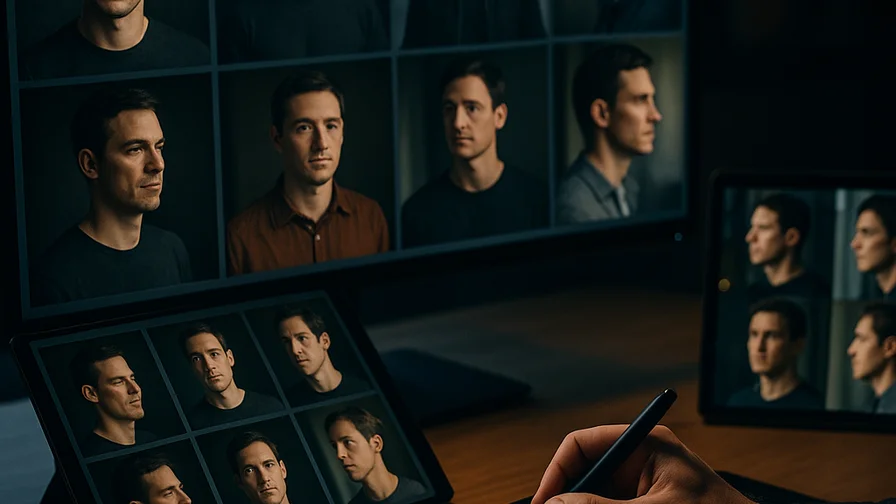
Creating consistent characters across multiple AI-generated images can feel like solving a puzzle. One moment your character looks perfect, and the next generation shows someone completely different. But with the right techniques and workflows, you can achieve remarkable consistency that brings your characters to life across entire image series.
For crafting a visual story, developing game assets, or building brand mascots, character consistency is essential for maintaining narrative flow and professional polish. Let's dive into the proven methods that will reshape your AI image generation workflow.
Understanding the Challenge of Character Consistency
AI image generators excel at creating stunning individual images, but they struggle with memory. Each generation is essentially starting fresh, which means your carefully crafted character can morph into someone entirely different with slight prompt variations.
This happens because AI models process prompts as collections of features rather than remembering specific individuals. Without proper anchoring techniques, you might get different facial structures, hair colors, or body types even when using identical prompts.
The key is learning how to provide the AI with enough consistent reference points to maintain character integrity across generations.
The Foundation: Crafting Detailed Character Descriptions
Your character description serves as the blueprint for consistency. Generic descriptions like "young woman with brown hair" leave too much room for interpretation. Instead, build complete character profiles that include specific, memorable details.
Start with the most distinctive features that define your character's identity. Focus on elements like facial structure, eye shape and color, hair texture and style, body type, and any unique characteristics like scars or birthmarks.
Here's an example of a detailed character foundation:
Portrait of Elena Vasquez, 28-year-old woman with angular jawline, high cheekbones, warm amber eyes with slight upturn, thick straight black hair in a bob cut ending at jaw level, olive skin tone, small scar above left eyebrow, wearing a navy blue blazer, professional headshot style
This level of specificity gives the AI concrete details to anchor onto, significantly improving consistency across generations.
Using Seed Values for Consistency
Seed values are your secret weapon for maintaining visual consistency. When you generate an image you love, save that seed number – it becomes the genetic code for your character's appearance.
Using the same seed with slight prompt modifications allows you to create variations while preserving core characteristics. This works especially well when you want to show your character in different poses, expressions, or scenarios.
Keep detailed records of successful seeds alongside their corresponding prompts. This creates a reference library you can return to whenever you need to generate new images of the same character.
Many creators find success by generating several base images with different seeds, then selecting the one that best captures their vision before proceeding with variations.
Reference Image Techniques
Reference images provide visual anchors that dramatically improve consistency. When available, upload a reference image of your character and use it as the foundation for new generations.
The key is choosing reference images that clearly show your character's defining features. Avoid cluttered backgrounds or extreme lighting that might confuse the AI about which elements to prioritize.
You can also create a character reference sheet by generating multiple angles and expressions of your character, then using these as references for future work. This approach builds a visual vocabulary that strengthens consistency over time.
Style Anchoring Methods
Establishing a consistent visual style helps unify your character across different scenarios. This includes artistic style, lighting conditions, color palettes, and rendering techniques.
Choose specific style descriptors and stick with them throughout your series. Pick one — "digital art," "oil painting style," or "photorealistic" — and maintaining style consistency helps the AI understand the visual framework you want.
Consider creating a style template that you can append to all character prompts:
[Character description], digital illustration, soft natural lighting, muted color palette, detailed shading, concept art style, trending on artstation
This ensures visual cohesion even when your character appears in different settings or situations.
Advanced Prompting Strategies
Negative prompts play a essential role in character consistency. Use them to explicitly exclude unwanted variations that commonly appear in generations.
Weight different prompt elements using parentheses and numerical values to emphasize the most important character features. This tells the AI which aspects to prioritize when balancing different prompt elements.
Here's an example of weighted prompting for consistency:
(Elena Vasquez:1.3), (amber eyes:1.2), (straight black bob haircut:1.2), (angular jawline:1.1), sitting in a coffee shop, casual clothing, warm lighting, depth of field

Negative: different hair color, curly hair, round face, blue eyes, blonde hair
Experiment with prompt order, as elements mentioned earlier often receive more emphasis. Place your most important character identifiers at the beginning of your prompts.
Workflow Tips for Series Creation
Develop a systematic approach to character series. Start with a master character prompt that captures all essential features, then create variations by modifying only specific elements while keeping the core description intact.
When working with Nexvy, organize your successful prompts and seeds in a spreadsheet or document. Include columns for the prompt text, seed number, style parameters, and a brief description of the result. This creates a valuable reference system for future projects.
Test prompt modifications incrementally. Instead of changing multiple elements at once, modify one aspect at a time. This helps you understand which changes maintain consistency and which cause unwanted variations.
Consider batch generation techniques where you create multiple variations of the same scene simultaneously, then select the most consistent results for your series.
Common Pitfalls and Solutions
One frequent mistake is over-modifying successful prompts. When you achieve good character consistency, resist the urge to make dramatic changes. Small, incremental adjustments preserve consistency better than major overhauls.
Another common issue is inconsistent naming. If you use a character name in your prompts, stick with it throughout your series. Changing names or using different descriptors can confuse the AI about character identity.
Avoid conflicting style instructions within the same prompt. Mixed signals about artistic style, lighting, or rendering techniques can lead to inconsistent results.
Here's a practical example of maintaining consistency while changing scenarios:
Elena Vasquez, 28-year-old woman with angular jawline, amber eyes, straight black bob cut, olive skin, small scar above left eyebrow, [SCENARIO: walking through a forest trail], outdoor natural lighting, digital art style, detailed illustration
Replace the bracketed scenario while keeping all character details identical.
Quality Control and Refinement
Establish a quality control process for your character series. Generate multiple versions of each scene and select the ones that best maintain character consistency.
Don't be afraid to regenerate images that don't meet your consistency standards. It's better to spend time getting the character right than to settle for variations that break the visual narrative.
Keep successful generations as references for future prompts. The more consistent examples you have, the better you can identify what works and what doesn't in your character creation process.
Scaling Your Character Consistency
As you develop proficiency with character consistency, consider creating multiple character reference sheets for different scenarios. You might have versions for close-ups, full-body shots, or specific emotional expressions.
Document your learning process. Note which prompt structures, seed ranges, and style combinations work best for your particular character types. This knowledge becomes invaluable for future projects.
Consider collaboration possibilities. Share successful techniques with other creators and learn from their approaches to character consistency.
Putting It All Together
Mastering consistent AI-generated characters takes practice, but the results are worth the effort. Start with detailed character descriptions, use seed values and reference images, maintain style consistency, and develop systematic workflows that support your creative goals.
Remember that each AI platform has its own quirks and strengths. What works perfectly on one system might need adjustment on another, so be prepared to adapt your techniques as needed.
The key to success lies in treating character consistency as a skill to develop rather than a problem to solve once. Each project teaches you something new about prompt crafting, reference techniques, and workflow optimization.
Ready to create your own consistent character series? Try these techniques on Nexvy.ai and discover how the right approach can reshape your AI-generated artwork from random variations into cohesive, professional character portfolios that tell compelling visual stories.