Creating the perfect video is only half the battle. The other half? Finding music that doesn't just fill silence, but actually improves your story and connects with your audience on an emotional level.
If you've ever spent hours scrolling through stock music libraries only to settle for something "close enough," you're not alone. The good news is that AI has reshaped not just video creation, but music generation too. Today, we'll walk through how to create a complete video with custom background music that perfectly matches your content's mood, pace, and message.
Understanding the Video-Music Relationship
Before diving into the technical steps, it's essential to understand why music matters so much. Background music isn't just decoration—it's a storytelling tool that guides emotions, maintains engagement, and reinforces your message.
Think about it: a corporate explainer video needs completely different musical support than a travel vlog or product demonstration. The rhythm should complement your editing pace, the mood should align with your message, and the energy level should match your target audience's expectations.
The key is thinking about music from the very beginning of your video creation process, not as an afterthought. This approach ensures your final product feels cohesive and intentional rather than pieced together.
Step 1: Generate Your Video Content
Let's start with creating your video content. When planning your video, consider these musical elements upfront: overall mood, approximate duration, key moments that need musical emphasis, and your target audience's preferences.
Here are some practical video prompts you can use to get started:
Create a 60-second product demonstration video showcasing a new smartphone.
Show close-up shots of key features, smooth transitions, and include text
overlays highlighting main selling points. Style: clean, modern, tech-focused.
Generate a 90-second travel video featuring mountain landscapes and hiking.
Include scenic vistas, person walking on trails, and golden hour lighting.
Pace: contemplative and inspiring, suitable for adventure travel content.
Produce a 45-second cooking tutorial for homemade pasta. Show ingredients,
mixing process, and final plated dish. Style: warm, inviting, overhead and
close-up shots. Target audience: home cooking enthusiasts.
When creating your video, pay attention to natural rhythm points—where cuts happen, when text appears, or when the action intensifies. These will become important reference points when selecting or generating your music.
Step 2: Analyze Your Video's Musical Needs
Once you have your video, it's time to become a musical detective. Watch your video several times and take notes on these key elements.
First, identify the emotional arc. Does your video start calm and build excitement? Maintain steady energy throughout? Have multiple mood shifts? Understanding this emotional journey is essential for music selection.
Next, note the pacing and rhythm. Count how many cuts you have per minute, observe whether the editing feels fast-paced or leisurely, and identify any moments where the action speeds up or slows down.
Finally, consider practical constraints. You'll need the exact duration (including any fade-in/fade-out needs), appropriate volume levels that won't overpower dialogue or sound effects, and loop points if your music needs to repeat seamlessly.
Step 3: Choosing Your AI Music Platform
For this guide, we'll focus on two excellent AI music generation platforms: Suno and Lyria. Each has its strengths depending on your specific needs.
Suno excels at creating complete songs with lyrics, offers excellent genre variety, and provides good control over mood and energy levels. It's particularly strong for content that needs more traditional song structures.
Lyria, on the other hand, specializes in instrumental background music, offers precise duration control, and provides excellent ambient and cinematic options. It's ideal for content where music needs to stay truly in the background.
Consider your video type when choosing. Promotional content might benefit from Suno's more lively compositions, while educational or corporate content might work better with Lyria's subtle instrumental tracks.
Step 4: Crafting Effective Music Prompts
Writing good music prompts is an art form. The more specific you are, the better your results will be. Here are some proven prompt structures you can adapt:
Create upbeat electronic background music for a tech product demo.
120 BPM, 60 seconds long. Modern and clean sound with subtle build-ups.
No vocals. Think innovation and efficiency.
Generate ambient acoustic music for a travel video. Featuring guitar and light
percussion, 90 seconds duration. Inspirational and contemplative mood.
Should evoke sense of adventure and natural beauty.
Always include these essential elements in your prompts: genre and instrumentation, mood and energy level, specific duration, tempo (BPM) if you know it, and whether you want vocals or instrumental only.
Don't be afraid to reference emotions, settings, or even other artists' styles to help the AI understand your vision. Terms like "cinematic," "corporate-friendly," or "YouTube-style" can be surprisingly effective.
Step 5: Generating and Refining Your Music
Most AI music platforms work iteratively, so plan for several generation attempts. Start with your most specific prompt, then refine based on what you get back.
If the first result is close but not quite right, identify what needs changing. Is it the tempo, the instrumentation, the energy level, or the overall mood? Most platforms allow you to regenerate with modified prompts or extend/shorten existing clips.
Pay special attention to how the music begins and ends. Your video might need a soft fade-in rather than a dramatic opening, or a natural conclusion rather than an abrupt stop. Many platforms offer tools to adjust these elements after generation.
Don't forget to generate a few variations. Having options during the editing phase is invaluable, and sometimes a track that doesn't seem perfect initially works wonderfully once synced with your video.
Step 6: Syncing Music with Your Video
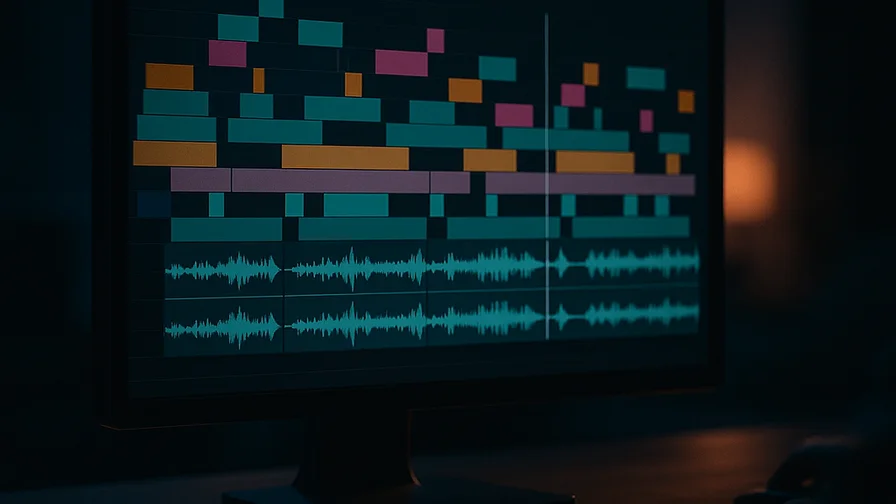
This is where the magic happens—bringing your video and music together in harmony. Start by importing both your video and generated music into your editing software.
Begin with rough synchronization, aligning the music's emotional peaks with your video's key moments. This might mean timing an instrumental crescendo with your product reveal, or matching a calm musical section with contemplative footage.
Fine-tune the timing by adjusting music placement frame by frame if necessary. Look for natural sync points like cuts that align with musical beats, or text appearances that coincide with musical phrases.
Consider volume levels carefully. Background music should typically sit between -20dB to -12dB, but this varies based on content type and whether you have dialogue or voice-over.
Step 7: Testing and Final Adjustments
Before declaring your project complete, test it thoroughly. Watch the full video multiple times, checking for any jarring transitions, volume inconsistencies, or moments where music and video feel mismatched.
Get feedback from others if possible. Fresh ears often catch issues you might miss after hours of editing. Pay attention to comments about whether the music feels appropriate, distracting, or improving to the overall experience.
Make final adjustments based on this feedback. Small tweaks to volume levels, timing, or even switching to an alternative music track can make a significant difference in the final impact.
Best Practices and Pro Tips
Here are some professional insights that can lift your video-music combinations from good to exceptional.
Always generate music that's slightly longer than your video needs. This gives you flexibility in editing and ensures you won't run short. You can always trim excess, but extending AI-generated music seamlessly is much more challenging.
Consider creating custom fade-ins and fade-outs rather than relying on default transitions. A 2-3 second fade-in often feels more professional than music that starts at full volume immediately.
If your video will live on multiple platforms, test how it sounds on different devices. What sounds perfect on studio monitors might feel overwhelming on mobile phone speakers.
For series or brand content, consider generating multiple tracks with similar characteristics. This creates consistency across your content while avoiding repetitive use of the same track.
Conclusion
Creating videos with perfectly matched AI-generated music is no longer a luxury reserved for big production teams. With platforms like Nexvy for video generation and tools like Suno or Lyria for music creation, you have professional-grade capabilities at your fingertips.
The key is approaching both video and music creation thoughtfully, understanding how they work together to create emotional impact, and being willing to iterate until you achieve that perfect harmony between visual and auditory elements.
Ready to create your first video with custom AI-generated music? Head over to Nexvy and start experimenting with the video prompts we've shared. Remember, the best way to master this workflow is through hands-on practice—so start creating, and don't be afraid to experiment with different combinations until you find your unique style.