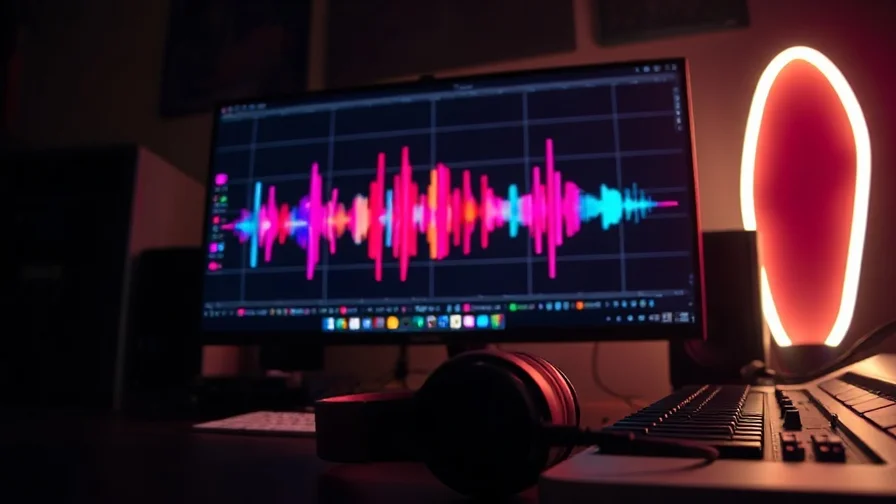
Making a music video used to mean a camera, a location and a weekend of editing. In 2026 you can get a credible one from a song and a few prompts. The catch: no single tool does the entire job well — you pair an AI music model with an AI video model and cut the pieces to the beat. This guide ranks the tools worth using and shows how they fit together.
Quick comparison
| Tool | Role | Strongest at | Pair it with |
|---|---|---|---|
| Suno | Music | Full songs with vocals from a prompt | Any video model |
| Lyria | Music | Instrumental scores, moods, loops | Any video model |
| Kling | Video | Animating stills, stylised motion | Suno / Lyria |
| Seedance | Video | Motion coherence, dance & movement | Suno / Lyria |
| Veo / Sora | Video | Realistic shots with native audio | Suno / Lyria |
Step 1 — the music: Suno and Lyria
If you don't already have a track, start here. Suno generates full songs — lyrics, vocals, structure — from a text prompt, which is ideal when you want an original song to build visuals around. Lyria leans instrumental: scores, beds and moods you can loop and time scenes to. For a deeper look at the music side, see Suno V4.5 vs Lyria and our step-by-step guide to AI music for videos.
Already have the song? Skip to the visuals — but note the tempo and the section changes, because that's what you'll cut to.
Step 2 — the visuals: Kling, Seedance, Veo
This is where the "music video" look is won or lost.
- Kling is the workhorse for music videos because its image-to-video is excellent: generate or supply a still — an artist portrait, an album-cover scene, an abstract — and Kling animates it into a moving shot. Cheap enough to make many clips.
- Seedance shines on coherent motion: dance, walking, flowing camera moves that hold together over a few seconds. Strong when bodies move.
- Veo and Sora bring realism and native audio. You usually won't use their audio (the song is the audio), but their realism makes the hero shots.
For model-by-model depth, our Veo 3 vs Kling 3.0 vs Sora 2 comparison covers the trade-offs.
Step 3 — cut it to the beat
Generate 8–15 short clips at the aspect ratio you need (9:16 for Shorts/Reels, 16:9 for YouTube), then assemble them in any editor against the track. Two habits that make AI music videos look intentional rather than random:
- Cut on the beat. Change shots on downbeats and section boundaries. Even simple clips feel produced when the edit respects the music.
- Keep a visual motif. Reuse a colour palette, a character or a recurring shot so the video reads as one piece, not a clip dump. Generating from the same seed image helps.
A realistic workflow
- Write or generate the song (Suno for vocals, Lyria for instrumental).
- Make 2–3 key still frames — the look of the video — with an image model.
- Animate those stills with Kling, add a few Seedance motion shots, drop in a Veo/Sora hero shot.
- Cut everything to the beat; add captions if it's for social.
That's a full music video in an afternoon, no crew.
The all-in-one angle
The friction in this pipeline is obvious: the music lives in one tool, each video model in another, and you're paying and logging in five times. Nexvy runs Suno and Lyria for music alongside Veo, Kling, Seedance and Hailuo for video under one subscription, so the whole pipeline — track, stills, animated shots — happens in one account on one credit balance. Generate the song, animate the stills, render the hero shot, export. See the music generator and video generator features, or the all-in-one platform overview.
Frequently asked questions
Can AI really make a music video from a song?
Yes, in two steps. An AI music model (Suno, Lyria) makes or supplies the track, and an AI video model (Veo, Kling, Seedance) generates the visuals — often by animating still images or following beat-timed prompts. The pieces are then cut to the song in any editor. There's no single button that does the whole thing well yet, but the workflow is fast.
What's the best AI tool for music videos in 2026?
It depends on the look. Kling and Seedance are strong for animating stills and stylised motion; Veo and Sora win on realism and native audio; Suno and Lyria generate the music itself. Most good results combine a music model with one or two video models.
Do I need separate subscriptions for the music and the video?
Not if you use a multi-model platform. Nexvy runs Suno and Lyria for music alongside Veo, Kling, Seedance and Hailuo for video under one subscription, so the whole music-video pipeline lives in one account and one credit balance.
The bottom line
There's no one-click AI music video yet — but there is a fast pipeline: Suno or Lyria for the track, Kling and Seedance for the motion, Veo or Sora for the hero shots, cut to the beat. The fewer tools you juggle, the faster it goes. Build the whole thing on Nexvy and keep the music and the video in one place.


