E-commerce content is relentless: every product needs clean shots, lifestyle scenes, banners and increasingly video — across dozens or hundreds of SKUs. AI has turned that from a photo-shoot budget into a generation workflow. Here's the AI stack for an e-commerce brand and how to run it in one place.
The store content stack
| Need | AI tool | Use |
|---|---|---|
| Product image edits | Nano Banana | Background swap, cleanup, variations |
| Hero / lifestyle images | FLUX | Photoreal scenes the product lives in |
| Banners / text-on-image | Ideogram | Sale banners, badges, readable text |
| Product video | Kling / Seedance | Animate stills into ads & listing clips |
| Ad voice & music | ElevenLabs / Suno | Finish video ads |
Product imagery: edit, don't reshoot
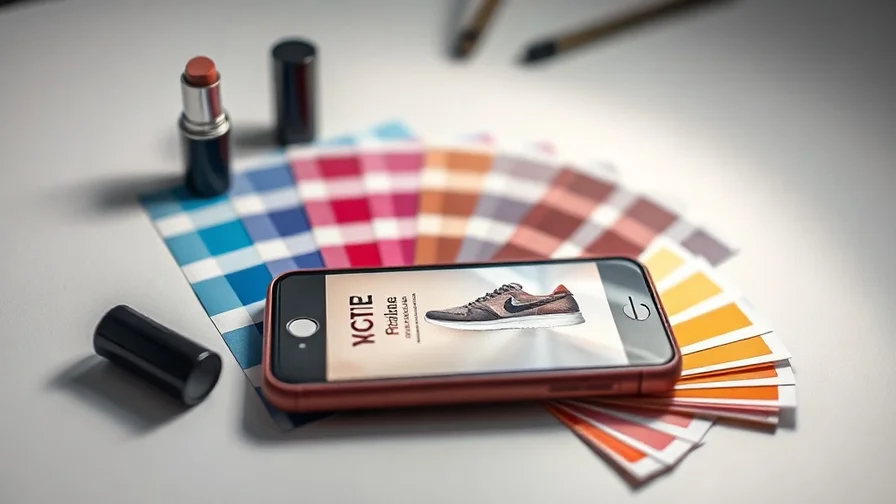
The biggest e-commerce win is AI image editing. Start from one clean product photo and use Nano Banana to swap the background to a studio sweep, remove clutter, fix lighting, or place the product in ten different settings — instead of booking a shoot per scene. Its instruction editing keeps the product exact while changing everything around it. See best AI image editing tools and how to get consistent characters/products across images.
Lifestyle and hero shots — FLUX
For the photoreal "product in the real world" shots that sell — on a kitchen counter, worn by a model, in a styled flatlay — FLUX delivers the fidelity that survives at full resolution on a product page. Generate the scene around your product rather than renting a location.
Banners and badges — Ideogram
Sale banners, "New", price badges, hero headlines — anything with readable text — is Ideogram's job, since general image models still smear typography. Ideogram 3.0: the best model for text on image.
Product video: animate the catalogue
Motion converts. Use image-to-video (Kling, Seedance) to animate a product still — a slow rotate, a soft reflection, a hand reaching in — into a clip for the PDP or a paid-social ad. Cheap enough to do for the whole catalogue. The ad-specific workflow is in AI video for ads & ecommerce, and our how to create AI product videos that convert covers conversion.
A catalogue content workflow
- Capture (or generate) one clean hero photo per product.
- Edit variations on Nano Banana — backgrounds, angles, cleanups.
- Generate lifestyle scenes on FLUX; banners on Ideogram.
- Animate the hero shot into a video ad with Kling; add VO/music.
- Push images to listings, clips to ads — repeat per SKU, in batches.
The all-in-one angle
A brand's content spans product edits, lifestyle images, banners, video and audio — and at catalogue scale, a separate tool per job is unmanageable. Nexvy runs Nano Banana, FLUX and Ideogram for images, Kling/Seedance/Veo for video, and ElevenLabs/Suno for audio under one subscription with shared team credits, so the whole store-content pipeline lives in one account. See the image and video generators or pricing.
Frequently asked questions
What AI tools do e-commerce brands need in 2026?
Mainly image and video: AI image editing to turn a plain product photo into studio shots and lifestyle scenes, AI image generation for backgrounds and banners, and AI video to animate products into ads and listing clips. Add voiceover and music for the video side. A multi-model platform covers all of it.
Can AI replace product photography?
For many SKUs, largely yes. Start from one clean product photo, then use AI editing to swap backgrounds, place it in lifestyle scenes, fix lighting and generate variations — far cheaper than a shoot per scene. A real hero photo still helps as the source, but the variations are AI.
How do I turn product photos into video ads?
Use image-to-video: feed a product still and a motion prompt, and a model like Kling animates it into a short clip (rotate, zoom, a hand picking it up). It's the fastest way to get scroll-stopping motion creatives for a whole catalogue without filming.
Is there one AI platform for an e-commerce brand?
Yes. Nexvy runs Nano Banana, FLUX and Ideogram for product images, plus Kling/Seedance/Veo for video and ElevenLabs/Suno for the audio side — so product shots, lifestyle scenes, banners and video ads all come from one account and one credit balance.
The bottom line
For e-commerce in 2026, AI turns content from a shoot budget into a workflow: edit product shots on Nano Banana, generate lifestyle scenes on FLUX, banners on Ideogram, and animate products into video with Kling. Run it across the catalogue from one place. Build your store's content on Nexvy.